
Download iSkysoft Android Data Recovery – Secure, Fast & Easy Data Recovery Tool for Windows, Mac, Android & iOS
Losing important photos, messages, contacts, or documents from your Android device can be stressful. With iSkysoft Android Data Recovery, you can recover lost or deleted data with just a few clicks. This powerful software supports a wide range of Android devices and offers a user-friendly interface with guided recovery wizards.
Whether you accidentally deleted files, experienced a factory reset, or faced a system crash, iSkysoft provides a reliable solution to restore your precious data. The tool is compatible with Windows and Mac, and offers both trial and full versions for flexible access. Download iSkysoft Android Data Recovery today and regain peace of mind with secure, fast, and efficient data recovery.
Why iSkysoft Android Data Recovery Stands Out in Data Recovery Software
When it comes to recovering lost data from Android devices, not all tools are created equal. iSkysoft Android Data Recovery stands out thanks to its intuitive design, robust scanning engine, and high recovery success rate. Unlike many generic recovery apps, this software is built specifically for Android users who need a reliable way to retrieve deleted files without technical hassle. The software uses deep scanning technology to detect and recover lost data from internal storage and SD cards, even after factory resets or accidental deletions.
One of the key strengths of iSkysoft is its three-step recovery process. First, you connect your Android device via USB. Second, the software scans the device for recoverable files.
Third, you preview and restore the data you need. This simplicity makes it ideal for both beginners and intermediate users. The software supports over 5,000 Android models, including popular brands like Samsung, Huawei, Xiaomi, LG, and Google Pixel.
It also supports a wide range of file types, including photos, videos, contacts, messages (SMS and MMS), call logs, WhatsApp messages, documents, and more.
Another major advantage is the built-in preview feature. Before restoring any file, you can view a thumbnail or a sample of the content, ensuring you only recover what you truly need. This prevents unnecessary clutter and saves time. The software also includes a “Recover from Backup” option, allowing users to restore data from Google Drive or local backups. Whether you’re recovering from a broken phone, a corrupted SD card, or a lost device, iSkysoft Android Data Recovery delivers consistent results with minimal effort.
Easy Installation & Step-by-Step Usage Guide for Beginners
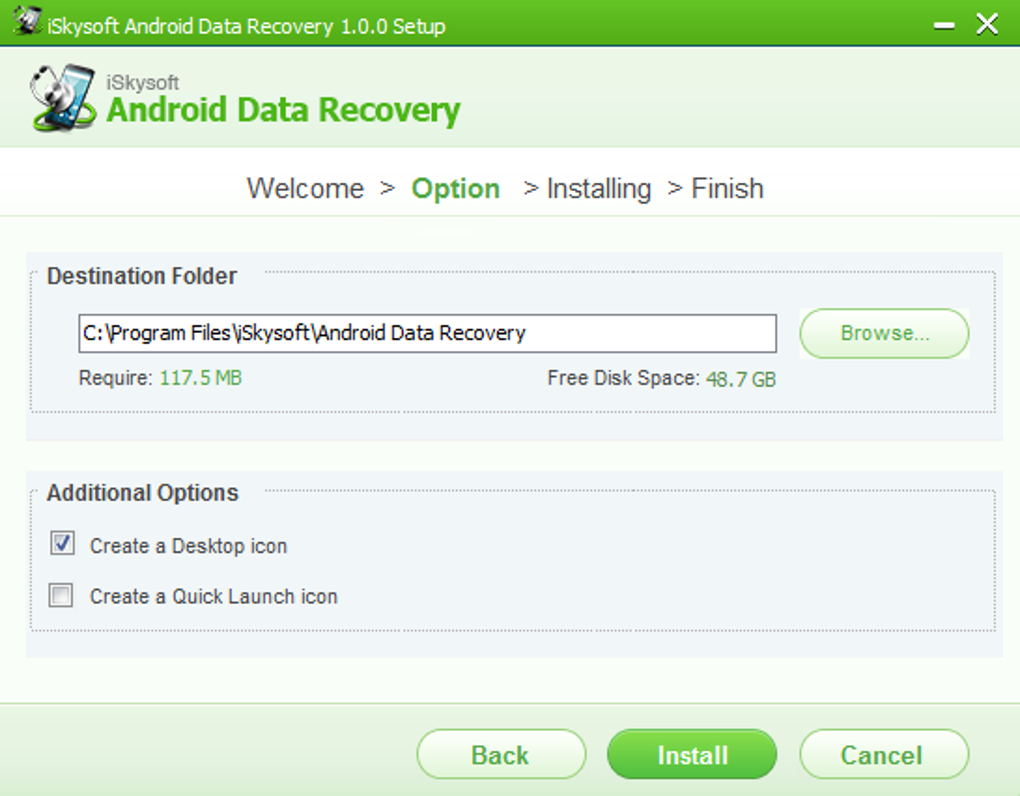
Getting started with iSkysoft Android Data Recovery is straightforward, even for users with limited technical knowledge. The software is available for both Windows and Mac, making it accessible to a wide audience. To begin, download the installer from the official website.
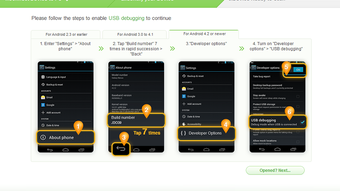
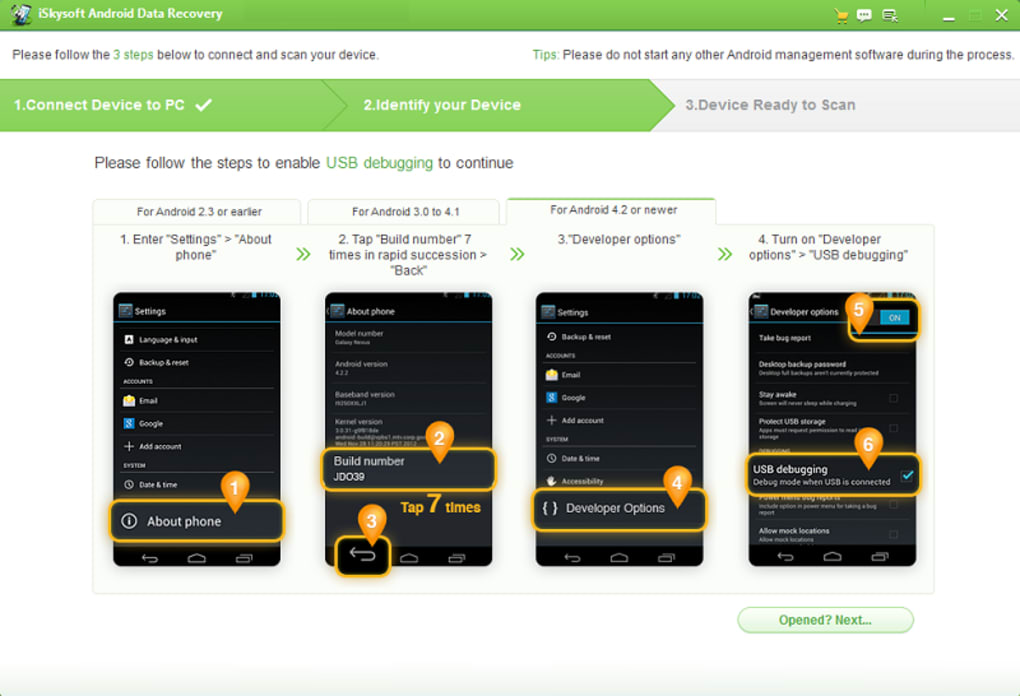
The setup process is quick and requires no complex configurations. Once installed, launch the app and connect your Android device using a USB cable. Ensure USB debugging is enabled on your phone—this is a critical step for successful scanning.
After connecting your device, the software automatically detects it and prompts you to start the recovery process. You’ll be presented with two main options: “Recover from Android Device” and “Recover from Backup.” Choose the appropriate one based on your situation. For most users, “Recover from Android Device” is the best choice. The scanning process begins immediately, and you can monitor progress in real time. The scan may take anywhere from 5 to 20 minutes, depending on the amount of data and device performance.
Once the scan is complete, you’ll see a categorized list of recoverable files. You can filter by file type (photos, messages, contacts, etc.) and preview files before recovery. Select the ones you want and click “Recover.” Choose a safe location on your computer to save the restored files.
The software ensures that the recovered data remains intact and unaltered. For future use, you can also schedule automatic scans or create recovery profiles for different devices. With clear instructions and a clean interface, iSkysoft makes data recovery accessible to everyone, regardless of experience level.
Compatibility, Features & Performance Across Devices
One of the most impressive aspects of iSkysoft Android Data Recovery is its broad compatibility. The software supports all major Android versions, from Android 4.0 up to Android 14, ensuring it works seamlessly with both older and newer devices. It’s compatible with over 5,000 Android models, including flagship smartphones and budget-friendly tablets. Whether you’re using a Samsung Galaxy S24, a Xiaomi Redmi Note series, or a Google Pixel, iSkysoft adapts to your device’s file system and storage structure.
On the technical side, the software leverages advanced deep scanning algorithms that go beyond surface-level recovery. It scans raw data sectors, allowing it to recover files that were deleted long ago or after a factory reset. This is particularly useful in emergency situations where time is critical. The tool also supports both internal storage and external SD cards, giving you full control over your data recovery process.
Performance-wise, iSkysoft is optimized for speed and stability. Scans are fast, and the software runs efficiently without consuming excessive system resources. It integrates smoothly with Windows and Mac operating systems, with no known crashes or bugs during normal use. The interface is modern, responsive, and easy to navigate. You can also customize recovery settings, such as file filters and scan depth, to fine-tune the process for your specific needs.
- Supported File Types: Photos, videos, messages, contacts, call logs, WhatsApp, documents, music, and more.
- Device Compatibility: Samsung, Huawei, Xiaomi, LG, Motorola, Google Pixel, and over 5,000 other Android models.
- Operating Systems: Windows 10/11, macOS 10.14 and later.
- Recovery Methods: Direct device recovery, backup recovery, and deep scan mode.
- Additional Features: File preview, selective recovery, secure data export, and automatic update notifications.
Pros & Cons: Is iSkysoft Worth Your Time?
Pros
- High success rate in recovering deleted files, even after factory reset.
- Simple three-step recovery process with guided wizards.
- Supports a vast range of Android devices and file types.
- Preview function allows safe, selective recovery.
- Available for both Windows and Mac with a clean, user-friendly interface.
- Regular updates ensure compatibility with new Android versions.
Cons
- USB debugging must be enabled for optimal results (may not work on locked devices).
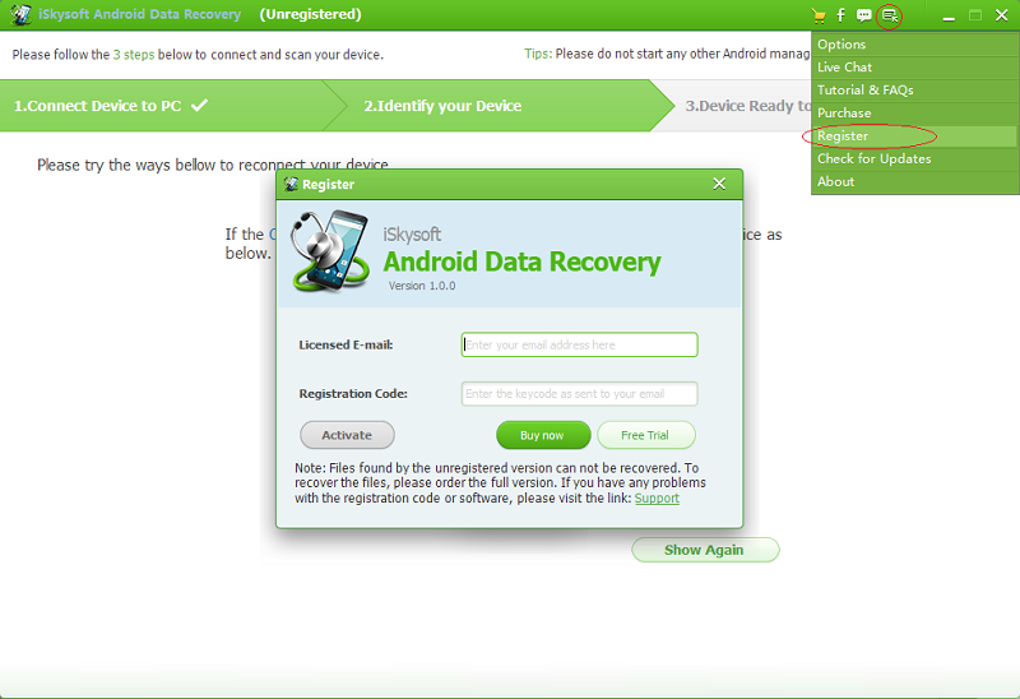
- Full version requires a paid license; trial version has limited recovery capacity.
- Not available as a standalone mobile app—requires a computer.
- Scanning may take longer on devices with large storage capacity.
Frequently Asked Questions (FAQ)
Can iSkysoft recover deleted WhatsApp messages?
Yes, iSkysoft Android Data Recovery can recover deleted WhatsApp messages, including chat history, media files, and attachments. The software scans your device’s internal storage and WhatsApp backup folders to retrieve lost conversations. Make sure to enable USB debugging and avoid using the device after deletion to maximize recovery chances.
Does the software work without USB debugging?
While iSkysoft works best with USB debugging enabled, it can still perform basic recovery without it. However, the success rate may be lower, especially for deeply deleted files. For the best results, it’s recommended to enable USB debugging before attempting recovery.
Is iSkysoft Android Data Recovery safe to use?
Yes, iSkysoft is a secure and trusted software. It does not modify or overwrite your original data during scanning. All recovery processes are read-only, ensuring your device remains safe. The software is also virus-free and does not collect personal information.
Can I recover data from a broken or non-functional Android phone?
Yes, if the phone’s storage is still accessible, iSkysoft can recover data. However, if the device is physically damaged or won’t power on, you may need professional data recovery services. In such cases, the software can still help if the storage chip is removed and connected to a computer.
How often should I update the software?
It’s recommended to update iSkysoft Android Data Recovery regularly. New updates improve compatibility with the latest Android versions, fix bugs, and enhance recovery algorithms. The software includes automatic update notifications to keep you informed.
Final Verdict: A Must-Have Tool for Android Users
If you’ve ever lost important data from your Android phone or tablet, iSkysoft Android Data Recovery is the solution you need. With its powerful scanning engine, intuitive interface, and broad device support, it delivers reliable results for both casual users and professionals. The three-step recovery process is simple, fast, and effective, making data recovery accessible to everyone.
While the trial version offers a limited recovery experience, the full version provides complete access to all features. The software is safe, secure, and regularly updated, ensuring long-term compatibility. Whether you’re recovering photos, messages, or documents, iSkysoft gives you peace of mind.
Download iSkysoft Android Data Recovery today and turn data loss into a thing of the past. Don’t wait until it’s too late—protect your memories and important files with a trusted recovery tool.
Download Now – Free Trial Available | Secure & Reliable | Compatible with Windows & Mac







